
Why mastering and post need a different kind of controller
Most control surfaces were designed for tracking and mixing: a row of faders, a transport, some pan knobs. That is the right tool for balancing forty tracks. It is the wrong tool for a mastering chain, where the whole job is a handful of very small moves on a few very good plugins, or for a dialogue premix, where the work is a restoration plugin, a de-esser, an EQ and a compressor on every line.
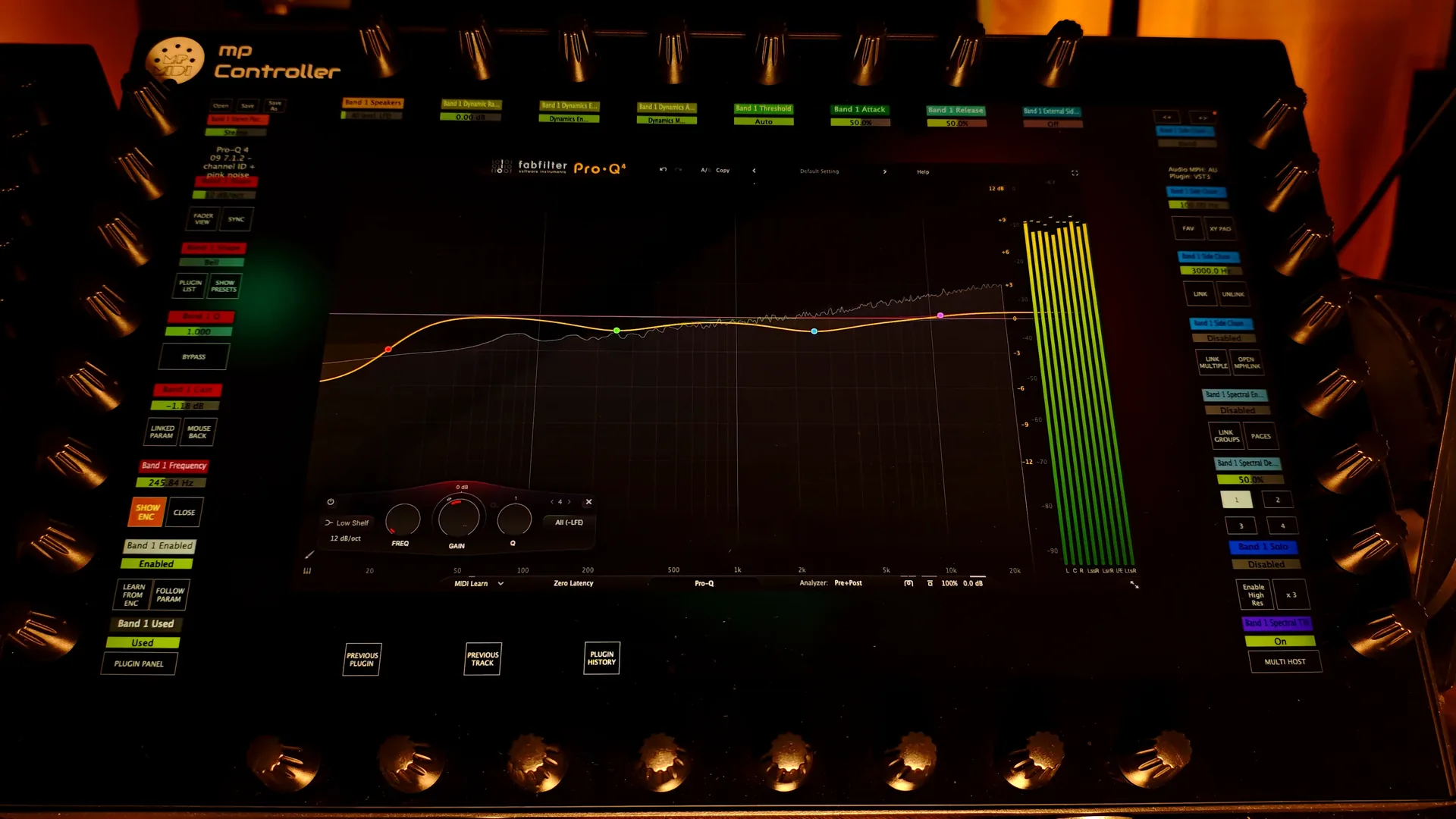
In both rooms the real controls are plugin parameters, often hundreds of them, and the moves are tiny. A mastering EQ boost is often 0.3 to 0.8 dB. A de-noiser threshold is a few dB either way. Doing that with a mouse means one parameter at a time, while staring at a small graphic instead of listening. The MP Controller was built the other way round: 32 endless encoders and a 15.6-inch multi-touch screen that map the plugin in front of you automatically, so both hands are on the sound and the ears stay on the speakers.
The four bottlenecks of every post production session
Talk to re-recording mixers, dialogue editors and sound designers and the same four problems come up. None of them is about sound quality. All of them are about time and attention, and every one of them gets worse as the session grows.
1. Sessions with hundreds of tracks
Dialogue, ADR, Foley, backgrounds, effects and music, each with its own chain. On the MP Controller: select a track and its plugins are already mapped, presets recall from the controller, and you switch between processors in the chain from the touchscreen.
2. Plugin windows on top of the picture
Every de-esser, de-noiser and EQ opened with a mouse covers the timeline, the picture or the meters. On the MP Controller: the plugin lives on its own 15.6-inch touchscreen, so your main displays stay on picture, timeline and meters.
3. Automation that has to feel natural
Dialogue rides, reverb sends and filter sweeps follow the action shot by shot. Drawn curves rarely sound performed. On the MP Controller: write automation by turning an encoder in the DAW's write or touch mode, on any parameter the plugin exposes to the host.
4. Revisions against a deadline
A new picture cut, an alternate deliverable, a client note at 6 pm. On the MP Controller: saved chains with their mappings, total recall and EPS server projects mean the processing is already where you left it.
Every surround format, up to Dolby Atmos beds
Plugins on surround and immersive tracks are supported in MP Host and in EPS, so the same automatic mapping you use on a stereo master works on a 5.1 stem, a 7.1 printmaster or a 7.1.2 Atmos bed.
- Quadraphonic
- LCRS
- 5.1 (ITU 775)
- 6.1 (ES/EX)
- 7.1
- 7.1 (SDDS)
- 5.1.2
- 5.1.4
- 7.1.2
- 7.1.4
- Dolby Atmos
Each of these layouts exists for a reason, and knowing where you will meet them saves time when a delivery or an archive job lands on the desk:
| Format | Channels | Where you meet it |
|---|---|---|
| Quadraphonic | 4 | Left, Right, Surround Left, Surround Right. The 1970s quad music format, still used for music in the round, installations and archive remasters. |
| LCRS | 4 | Left, Center, Right and one mono Surround. The layout of matrixed film sound (Dolby Stereo, Pro Logic). You meet it when restoring or remastering older film and TV soundtracks. |
| 5.1 (ITU 775) | 6 | The broadcast, streaming and Blu-ray standard. ITU-R BS.775 places the front speakers at ±30° and the surrounds at about ±110° around the listener. |
| 6.1 (ES/EX) | 7 | 5.1 plus a single rear center surround, as used by Dolby Digital EX and DTS-ES releases. |
| 7.1 | 8 | 5.1 plus Rear Left and Rear Right. Cinema 7.1 and Blu-ray. |
| 7.1 (SDDS) | 8 | Sony Dynamic Digital Sound: five screen channels (Left, Left Center, Center, Right Center, Right), two surrounds and LFE. Found on large-screen film releases and in film archives. |
| 5.1.2 / 5.1.4 | 8 / 10 | 5.1 plus two or four height speakers. Common in smaller immersive rooms and in immersive deliverables built on a 5.1 base. |
| 7.1.2 | 10 | The channel-based bed format for Dolby Atmos mixing. The bed carries the static elements (music stems, ambiences, room tone) while objects carry what moves. |
| 7.1.4 | 12 | The most common Atmos monitoring layout in music and post studios, and the maximum speaker layout supported for monitoring. |
Three surround details that catch people out
- The same 5.1 has more than one channel order. SMPTE/ITU order is L, R, C, LFE, Ls, Rs. Film order, used by Pro Tools, is L, C, R, Ls, Rs, LFE. DTS order is L, R, Ls, Rs, C, LFE. An interleaved file read in the wrong order puts the dialogue in a surround speaker. Check the track layout every time stems move between DAWs or facilities.
- LFE is not your bass channel. LFE is a low-frequency effects channel, band-limited (typically to 120 Hz) and played back 10 dB hotter in band. Standard stereo downmixes usually discard it, so bass that lives only in the LFE disappears on a TV, a laptop or a fold-down. Keep the musical low end in the main channels and use LFE for impact.
- The fold-down is part of the mix. A standard Lo/Ro downmix adds the center and the surrounds into left and right at about -3 dB. A 5.1 mix with busy surrounds can come out cluttered and louder in stereo, and an Atmos mix is also judged on its binaural render in headphones. Listen to the fold-down and the binaural render before you sign off.
Beds, objects and where a plugin controller fits in Atmos
Dolby Atmos is two things at once. Beds are channel-based, like classic 5.1 and 7.1: a 7.1.2 bed carries the music stems, ambiences and room tone. Objects are mono or stereo sounds with position metadata (X, Y, Z and size) that the renderer places in the room at playback, so the same mix plays on a 7.1.4 studio, a cinema, a soundbar or headphones.
That split tells you where the work goes. Bed processing is plugin work, and plugins on immersive tracks have far more parameters than their stereo versions: per-channel gains, height and LFE sends, crossover points, early reflection patterns for each speaker zone. The more parameters a plugin has, the more an encoder per parameter is worth. Object positioning lives in the DAW's own panner and the Dolby renderer, so in most sessions the controller's job is the processing around the object rather than the object's coordinates.
| Immersive mixing job | What the MP Controller does |
|---|---|
| Surround EQ and dynamics on beds and stems | Maps every exposed parameter of the multichannel plugin to the encoders automatically |
| Spatial and surround reverbs | Decay, pre-delay, early reflections, filtering and channel balances on physical controls |
| Moving sounds and sound design | Write filter, distortion, delay and reverb moves as performed automation instead of drawn curves |
| Plugins with hundreds of parameters | Automatic mapping across pages, Find Parameter, Hi-Res for fine values |
| Dialogue clarity in the full room | EQ, de-essing and dynamics adjusted while you listen in the speakers, not while you look at a window |
| Consistency across reels and versions | Saved chains and mappings in MP Host, persistent instances in EPS |
A worked example: the helicopter flyby. A helicopter enters behind the audience, passes overhead and exits front right. The object path is drawn in the DAW's Atmos panner. What makes it believable is everything else: the low-pass filter opening as it approaches, the rotor distortion getting harsher overhead, the reverb send growing as it moves away, the delay feedback on the exit. On the MP Controller those four parameters sit on four encoders, or on an XY pad that drives several parameters at once, and you play the whole movement in one pass in write mode while watching the picture.
To be precise about scope: the MP Controller controls plugin parameters, in stereo, surround and on Atmos bed tracks. It does not render Atmos, author ADM BWF masters or replace the Dolby renderer, and native object panners are controlled from the DAW.
Fernando Delgado: the MP Controller at the center of his mastering workflow
Fernando Delgado is a Senior Mastering Engineer, a 2× Latin Grammy® winner and a 4× Latin Grammy® nominee. Mastering at that level leaves no room for a tool that slows you down or second-guesses a setting, and the MP Controller sits at the center of his mastering workflow. In the video below he shows how it fits into his room.
What a mastering engineer gets from the controller is easy to list, and each item removes a small delay that adds up over a day of masters:
- Automatic mapping. Open a mastering EQ, a limiter or a multiband compressor and it is laid out on the encoders immediately. No templates to build, no learn mode.
- Total recall and perfect sync. The controller syncs with the plugin directly, the same way the DAW automates parameters. Values never jump, presets update the controller instantly, and reopening a session restores every parameter exactly as saved. When a client asks for a revision three weeks later, the controller is already where you left it.
- Hi-Res precision. Each encoder can be set for fast or fine movement, individually or globally. Press Hi-Res on the touchscreen and every encoder switches to high-precision control for the 0.1 dB decisions mastering is made of.
- Find any parameter instantly. Touch a parameter on screen and its encoder starts blinking. After a few sessions muscle memory takes over and you stop looking at all.
- Honest comparisons. Solo, Bypass and Compensate on each plugin let you hear what a processor really does, not just that it made the track louder. Level-matched A/B is the most important habit in mastering, and here it is one touch away.
- Mastering chains as one instrument. Load up to 12 effects in one Multi Host, mute, solo or power each one, and save the whole chain with its mappings. Your mastering chain reloads in seconds with no remapping.
Controller EQ-01 and MP Mix Placement: EQs built around the encoders
Automatic mapping works with any plugin. With our own plugins we went a step further and designed the parameter layout around the hardware first, so the encoders read like the front panel of a hardware unit. Two of them matter most in mastering and post.
Controller EQ-01: a mastering EQ with hardware behaviour
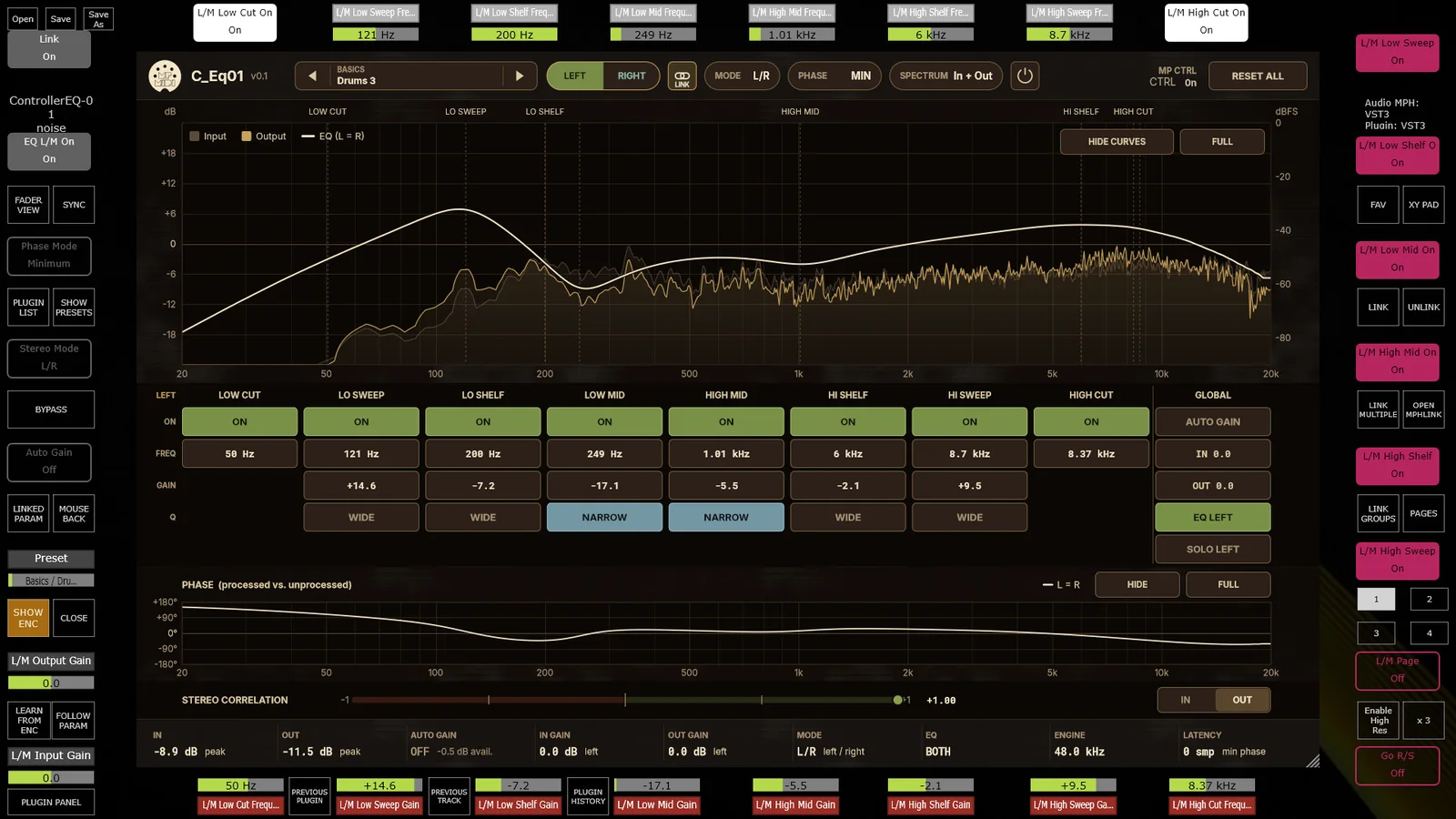
Controller EQ-01 is a recreation of a classic analog equalizer for mixing and mastering. We analysed the frequency and phase responses of the original hardware and reproduced both. It has a low cut, low sweep, low shelf, low mid, high mid, high shelf, high sweep and high cut, each with its own switch and frequency, Wide or Narrow bandwidth on the sweep, shelf and mid bands, and automatic gain compensation so you judge tone, not level.
- Left/Right and Mid/Side. Link the channels and one set of controls drives both. Unlink them and the Left/Right or Mid/Side buttons on the controller jump to that channel's page, exactly like a two-channel hardware unit. Tighten the low end in the middle, open the top on the sides, without touching the other.
- MIN or EXACT phase. MIN is zero-latency minimum phase for everyday work. EXACT reproduces the measured phase of the original to within 0.85°, at 1024 samples of latency at 44.1 kHz (about 23 ms at every sample rate), reported to the host so the DAW compensates automatically. Switch with encoder 6.
- Presets on encoder 3, with dedicated Mastering, Mix Bus, Mid-Side and Left-Right folders.
MP Mix Placement: placing dialogue, music and effects
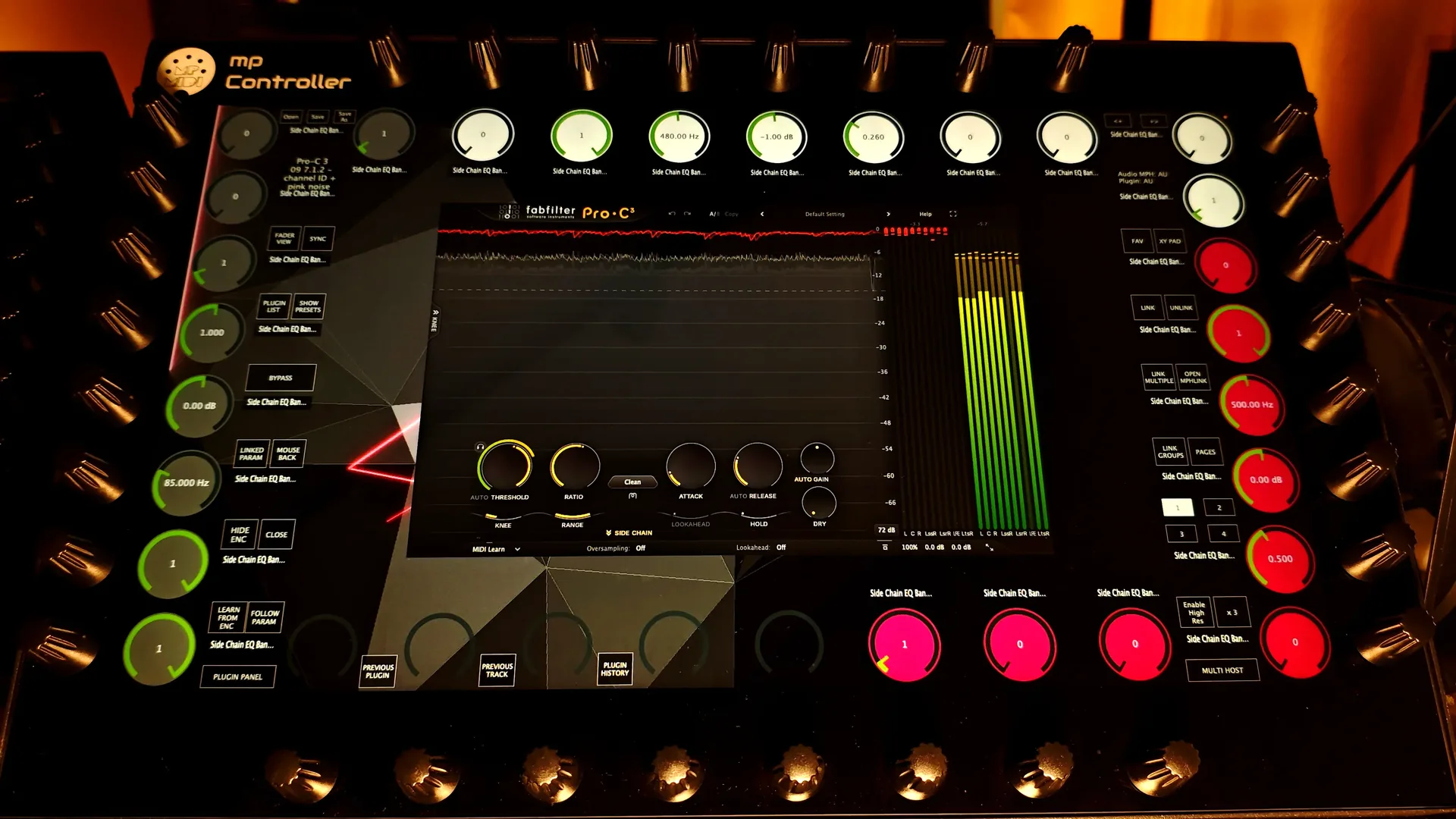
MP Mix Placement is a 14-band placement filter bank (a low shelf at 88 Hz, twelve band-pass bands from 125 Hz to 5.6 kHz and a high shelf at 7 kHz) with Gain, Pan, Mute, Solo and Drive on every band. Fourteen bands sit on encoders 1 to 28 from low to high, with Solo and Mute on the buttons below. It runs at zero latency, with no pre-ringing, and a flat setting is bit-exact with the input.
For post it brings two things most engineers do not expect from an EQ. The Depth & Distance presets move a part from Very Close to the next room, which is useful when ADR or a voice-over has to sit at the distance the picture suggests. And there is a dedicated Dialogue & Podcast preset category, plus a Mix Bus & Mastering one. Its metering shows peak, momentary loudness and true peak to BS.1770, with a correlation meter, on mono and stereo material. MP Mix Placement is free for all MP Controller owners.
| Task | On the MP Controller |
|---|---|
| Stereo master tone | Controller EQ-01 in L/R, Hi-Res encoders, Auto Gain on |
| Width and center focus | Controller EQ-01 in M/S, unlinked, Mid and Side pages on the buttons |
| Phase-critical parallel work | Controller EQ-01 in EXACT mode, latency compensated by the DAW |
| Dialogue and voice-over placement | MP Mix Placement, Dialogue & Podcast and Depth & Distance presets |
| Music under dialogue | MP Mix Placement, Make Room presets to carve the speech range |
| Level-matched A/B | Solo, Bypass and Compensate on each plugin |
Read the full details in MP Mix Placement and Controller EQ-01: two new plugins.
EPS: the plugin server post production has been waiting for
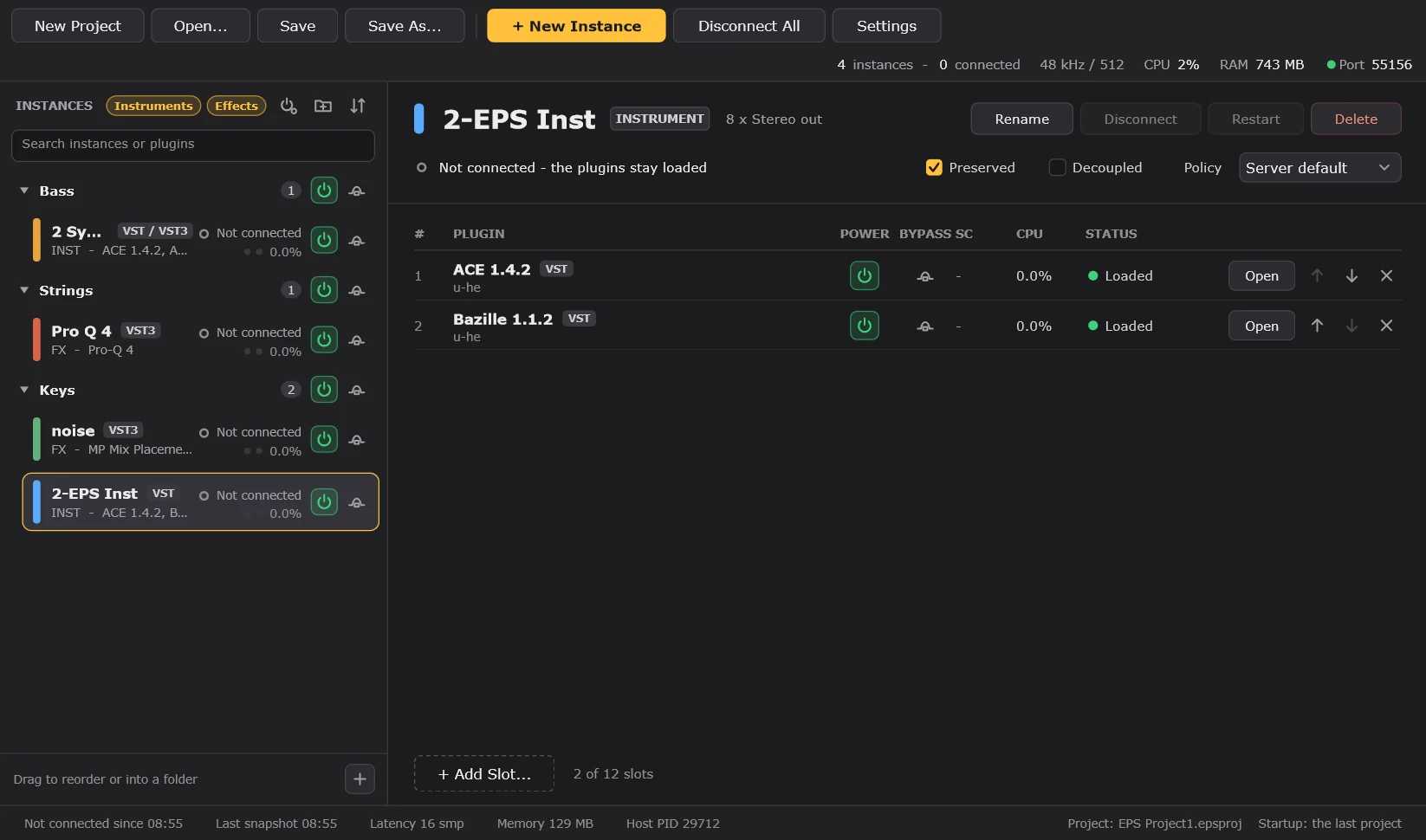
Post production sessions are large and repetitive by nature: the same dialogue chain on every reel, the same restoration tools on every episode, the same music and effects processing on every version of the cut. EPS, the External Plugin System, hosts those plugins in a separate server instead of inside the DAW project. Instances stay loaded between projects, so a reel or an episode reconnects to processing that is already running instead of loading it again.
Reels, episodes and versions
Save the dialogue, restoration and effects chains as a server project that opens at startup. Every reel, episode and version after that reconnects instead of reloading.
Heavy processing, off the DAW
Hosted plugins add no CPU load to the DAW process. Run the server on the same computer, or spread restoration and reverbs across other Macs and PCs on the network.
Crash isolation in front of the client
Each instance runs in its own process. A plugin crash stays in its instance, the DAW keeps playing, and effects pass audio through while you restart from the last snapshot.
Surround on the server
EPS supports plugins on surround and immersive tracks, from quadraphonic up to Dolby Atmos beds, and every slot maps on the MP Controller automatically.
Two more details matter in post. Auto-snapshot saves every instance every 10, 30 or 60 minutes and when a track disconnects, so a long day of conform changes is never lost. And Power off disconnected instances parks everything the current reel is not using, so a full series template does not cost CPU you are not using. The EPS client plugins are available as VST3, AU and AAX, so EPS also works with Pro Tools sessions, where the MP Controller controls VST2, VST3 and AU plugins through an AAX bridge plugin.
Control surfaces for the rest of the session
Plugin control is the heart of the system, but post and mastering sessions need more than plugins. The MP Controller includes dedicated control surfaces that turn the same hardware into the right tool for each part of the job:
- Gain Staging and Mixing Utility. Control the gain of up to 128 MP Gain Utility plugins from the controller, in any DAW, with no configuration. Ride stem levels in a premix, trim dialogue lines or balance a music edit without leaving the encoders.
- DAW control surfaces for Cubase and Nuendo (mix console, channel strip, quick controls, native devices), Logic Pro, Reaper, Fender Studio and Studio One, Bitwig Studio and Ableton Live, plus Pro Tools plugin control.
- General MIDI Controller. CC and NRPN control, on-screen buttons and keyboard keys sent to any app on Mac and Windows. Put markers, nudges, editor shortcuts and render commands on touch buttons.
- DaVinci Resolve color grading control for facilities where the same room also grades picture.
Who gets the most out of it, and how
Dialogue editors and re-recording mixers
Dialogue is the strongest everyday case. Every line passes through a de-noiser, a de-esser, an EQ and a compressor, often with a de-reverb or a de-clicker in front, and the settings change from scene to scene. With the chain mapped automatically, you step from track to track and adjust thresholds, bands and sensitivity with your eyes on the picture, not on a stack of plugin windows. Then MP Mix Placement puts the ADR at the distance the shot suggests.
Surround and Dolby Atmos mixers
Immersive plugins are where the encoder count pays for itself. On a 7.1.4 reverb you navigate reverb character, crossover frequencies, height balance and per-zone parameters from one surface, page by page, with Hi-Res for the fine values. The same mapping works on a 5.1 broadcast version of the same project, so nothing changes in the hands when the format changes.
Sound designers for film, TV and games
A spaceship flyby is filter cutoff, distortion, delay feedback and reverb moving together. Doing that one parameter at a time with a mouse produces movements that sound edited. Doing it on encoders and XY pads produces movements that sound performed, because they are. Sound design is where the MP Controller stops being a control surface and starts behaving like an instrument.
Alongside the console, not instead of it
The MP Controller is not trying to replace a large-format console with motorised faders. A dub stage with an Avid S6 or a Nuendo room with a large surface already has excellent channel control. What those rooms still have is a mouse for every plugin. That is the gap the MP Controller fills, and it is why it sits next to the console in so many rooms instead of competing with it.
It also helps to be clear about the parts of an Atmos delivery that no plugin controller does. Knowing this saves time in a facility where roles are split:
| Atmos delivery task | Handled by | Role of the MP Controller |
|---|---|---|
| Bed and object management | DAW and Dolby renderer | Processing on bed tracks and the plugins on objects |
| Downmix and trim checks | Renderer, trim and downmix metadata | Adjust the processing that the fold-down exposes |
| Binaural render settings | Renderer metadata (near, mid, far, off) | Adjust reverbs and placement so the headphone version holds up |
| Loudness and true peak | Metering and QC tools | Fast access to the limiters, EQs and dynamics that fix a failed measurement |
| ADM BWF master export | DAW and renderer | None needed |
| Speaker calibration | Room calibration and monitor controller | None needed |
One QC habit worth adopting: check the trim and downmix metadata and the binaural render on real consumer playback (a soundbar, a phone, earbuds) before you sign off. Most Atmos rejections and client notes come from how the mix translates, not from the 7.1.4 room it was mixed in.
Delivery: loudness targets worth pinning above the desk
A controller that speeds up the mix is only half of the job. The other half is delivering a file that passes QC the first time. These are the targets most engineers meet most often:
| Delivery | Integrated loudness | Max true peak |
|---|---|---|
| EBU R128 (European broadcast) | -23 LUFS | -1 dBTP |
| ATSC A/85 (US broadcast) | -24 LKFS | -2 dBTP |
| Netflix | -27 LKFS, dialogue-gated | -2 dBTP |
| Apple Music, Dolby Atmos | -18 LKFS | -1 dBTP |
Two things are easy to miss. Netflix measures loudness on the dialogue, not the whole programme, so a loud score does not pull the measurement up. And true peak is measured after reconstruction, so a file that never touches 0 dBFS sample peak can still fail a -2 dBTP limit. Treat this table as a starting point and always confirm the current spec sheet from the broadcaster or platform.
- Open the server project in EPS. Dialogue, restoration and effects chains are already loaded and waiting.
- Open the reel. Each track reconnects to its instance, and the DAW project state is applied.
- Clean and place dialogue: restoration plugin on the encoders, then MP Mix Placement for distance and space.
- Premix with the Gain Staging and Mixing Utility and the DAW control surface.
- Shape the music and effects stems, in stereo or on surround and Atmos bed tracks, with automatic mapping.
- Check the fold-down and the loudness target, then print.
- Move to the next reel. Nothing reloads.
One controller for the master, the mix and the dub stage.
No other controller combines automatic mapping of every VST2, VST3 and AU plugin, total recall, Hi-Res encoders, surround support from quadraphonic to 7.1.4 and Dolby Atmos beds, a persistent plugin server with crash isolation, purpose-built mastering and placement EQs, and dedicated control surfaces for the major DAWs, in one device at €780. It is made to speed up the workflow of every professional in pre and post production, and it is trusted at the center of a Latin Grammy winning mastering workflow.
Bottom line
Mastering and post production are plugin work, and the MP Controller is a plugin controller first. It puts every parameter of every plugin under 32 endless encoders, keeps them in perfect sync, handles every surround layout up to 7.1.4 and Dolby Atmos beds, and adds EPS, Controller EQ-01, MP Mix Placement and dedicated control surfaces around it. Whether you deliver a stereo master, a 5.1 broadcast mix or an Atmos album, it keeps your hands on the sound and your session moving.
See pricing and order the MP Controller Read about EPSFAQ
Which surround formats does the MP Controller support?
Plugins on surround and immersive tracks are supported in MP Host and in EPS, in Quadraphonic, LCRS, 5.1 (ITU 775), 6.1 (ES/EX), 7.1, 7.1 (SDDS), 5.1.2, 5.1.4, 7.1.2 and 7.1.4, which covers the channel-based beds used for Dolby Atmos mixing.
Is the MP Controller a good mastering controller?
Yes. It maps mastering plugins automatically across 32 endless encoders with a Hi-Res mode for fine moves, stays in sync with the plugin for total recall, and includes Controller EQ-01, a recreation of a classic analog mastering EQ with Left/Right and Mid/Side modes and a phase-exact mode. Senior mastering engineer Fernando Delgado, a two-time Latin Grammy winner, has the MP Controller at the center of his mastering workflow.
Does the MP Controller work in Pro Tools for post production?
Yes. The MP Controller controls VST2, VST3 and AU plugins in Pro Tools through an AAX bridge plugin. The EPS client plugins are also available as AAX, so EPS plugin servers work with Pro Tools sessions.
How does EPS help with film and TV post production?
EPS keeps plugins loaded in a separate server, so the same restoration, dialogue and effects chains stay loaded across every reel, episode and version. Projects reconnect instead of reloading, a plugin crash stays in its own process, and the server can run on the same computer or on other Macs and PCs on the network.
What loudness targets should I check before delivery?
Common targets are EBU R128 for European broadcast (-23 LUFS integrated, -1 dBTP maximum true peak), ATSC A/85 for US broadcast (-24 LKFS, -2 dBTP), Netflix (-27 LKFS dialogue-gated, -2 dBTP) and Apple Music Dolby Atmos (-18 LKFS, -1 dBTP). Always confirm the current spec sheet from the broadcaster or platform before delivery.
Does the MP Controller replace a large-format console?
No, it complements one. A console controls tracks and faders. The MP Controller controls the parameters of the plugins on those tracks, which is where most post production and mastering time goes, so it sits next to the console rather than replacing it.
Can the MP Controller control Dolby Atmos object panning?
The MP Controller controls plugin parameters, including plugins on surround and Atmos bed tracks. Object positioning is done in the DAW's native Atmos panner and the Dolby renderer, which also handle rendering and ADM BWF export. The controller covers the processing around each object: filters, reverbs, dynamics and sound design moves.
Topics: post production controller mastering controller Dolby Atmos controller surround mixing controller audio post production film and TV mixing EPS Controller EQ-01 MP Mix Placement MP Controller